Software Set Up
Minimum operating system requirements
For Windows
- PC Windows 7 or later
- 1GB or more memory (RAM)
- 500MB or more of free hard disk space
- A minimum screen resolution setting of 1024 x 700
- A broadband internet connection or USB, CD burner
- Adobe Acrobat Reader to view your Proof PDF
Note: Performance dramatically improves with more memory and larger projects will require more hard disc space.
For Mac
- Intel Mac with macOS10.9 or later
- 1GB or more memory (RAM)
- 500MB or more of free hard disk space
- A minimum screen resolution setting of 1024 x 700
- A broadband internet connection or USB, CD burner
- Adobe Acrobat Reader to view your Proof PDF
Download & install software
The Momento software is free. Download a copy from the Momento website then complete the installation process outlined below.
For Windows
After clicking the Download button:
- Choose Save File and installer file will download to your computer
- When download is complete double click Momento Installer.exe icon
- Click Yes if asked to approve the install
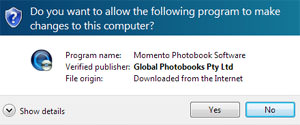
- The Momento Setup windows will then appear to guide you through each step of the installation process
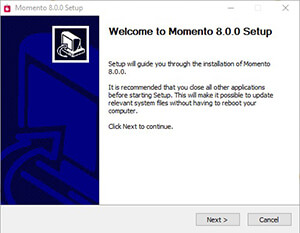
- Agree to the Licence Agreement
- Approve or choose a folder to store the software in
- Click the Install button (it will take a minute or so to install)
- As the install finishes a summary of the new features will appear
- Click the Next button
- Click the Finish button
- When complete, check the Start using Momento now box
- The software will launch and you’re ready to start designing
To make your life easy, a software shortcut will be added to your desktop
For Mac
After clicking the Download button:
- Choose OK to save the installer file
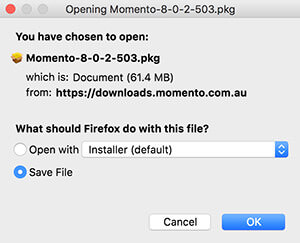
- Go to Downloads folder and double click the Momento Installer.pkg icon
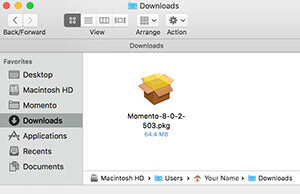
- The installer will launch and guide you through each step of the installation process
- You must agree to the Licence Agreement
- When complete, go to your Applications folder and open the Momento folder
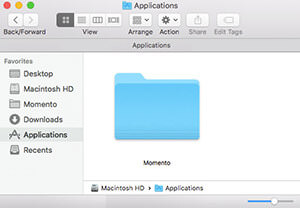
- Double-click the Momento icon and the software will launch ready for you to start designing
Create a shortcut by dragging the Momento icon from the Applications folder to the Dock.
Software Updates
An alert message will automatically appear when you open the software and it detects that a new version is available to download. You can choose to Install Now or Install Later. We recommend you update the software immediately, as you can enjoy the benefits of new features, improved functionality and bug fixes straight away.
Opening previous projects
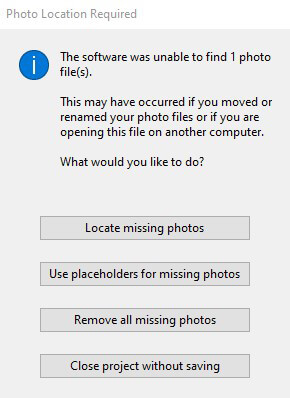
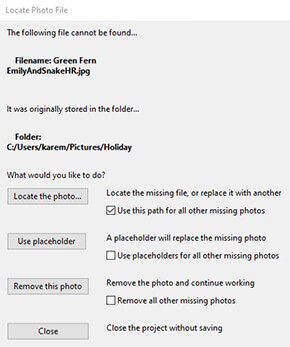
New versions of the Momento software will automatically open your previous project files but an issue may occur if you have moved the storage location of your project or related photo files. If you have moved the location of files, the software will identify this and bring up an alert and a series of windows so that you can point it toward the new file location.
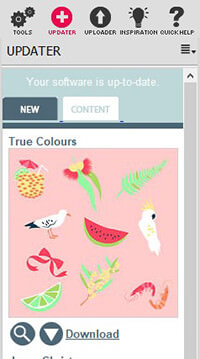
Updater Panel
In addition to downloading and installing the Momento software you can go to the Updater Panel to browse and download pre-designed frames, backgrounds, templates, embellishments and Quickbooks. We have organised these in to themed packs we call Packages, each with a descriptive name such as Sloppy Borders, Bright Solid Backgrounds, Templates 1 and Baby Girl.
We don’t include all the packages in the software when you download it because this would make the software file a massive file size and therefore take you longer to download. So we let you choose to download them at your own pace in your own time. Browse the Updater Panel, select your preferred package and click the Install Now button to start the download. When the download is complete the content will appear in the appropriate Contents Panel.
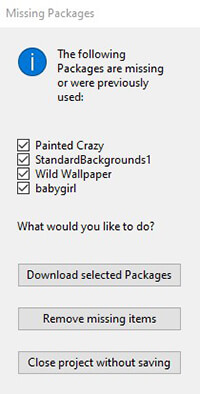
Just as the software detects when photos are missing from your project when you move the location of your files, so too does the software recognise when one of the Packages has been moved or deleted from your computer. Should you open a project file that can't locate images from an embellishment package, you will be prompted with the Missing Collections window to help you identify and locate them.
Next step...
Once you have the software downloaded and installed, you are ready to start a new project.
