Updater Panel
The Momento software is designed to regularly check online for updates and new graphics. These include:
- Software updates
- Backgrounds
- Frames
- Templates
- Embellishments
Momento will perform this check once per week. If any updates are available, you can click on the updater tab and the screen below will appear:
.jpg)
Next to each will be a small thumbnail preview, and an indicator showing which updates are new and which ones have already been installed. Choose whichever items you would like to use with Momento, and click on the Install Now button next to each item to download and install it. If you elected to download and install a software update, then Momento will need to restart itself. You will be prompted to save your photobook if there are any changes that have not yet been saved.
Tip: If you would like to manually check for updates at any time, you can choose the Check for updates... option from the Help menu or click on the Updater tab.
Uploader Panel
The next icon along is the Uploader panel.
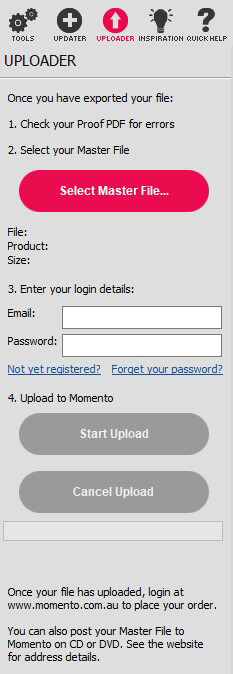
To upload your finished Momento Photobooks for printing, simply slick on 'Select Master File' and select your MBF file that you got from your export and enter your email and password and click on 'start Upload'. Your book will now be uploaded to Momento. This may take several minutes to over an hour depending on the size of your book and the speed of your internet connection.
Inspiration Panel
The inspiration panel will keep you up to date with competitions and deals currently running at Momento.